
Want AI working with your company’s data? Talk to a senior engineer.
Book a 30-Minute CallOwners want straight answers about their own numbers. Usually, they get a spreadsheet someone made by hand, a few days late.
Handing it to AI isn’t that simple. The data is spread across tools and spreadsheets. AI out of the box isn’t consistent: ask the same question twice and you can get two answers. And some systems don’t connect to AI at all.
Here are four ways to do it anyway, and how we did it for a client.
Four Ways to Connect AI to Your Data
1. Export and Upload
Export your data to spreadsheets, upload it to ChatGPT or Claude, and ask. It’s the easiest option.
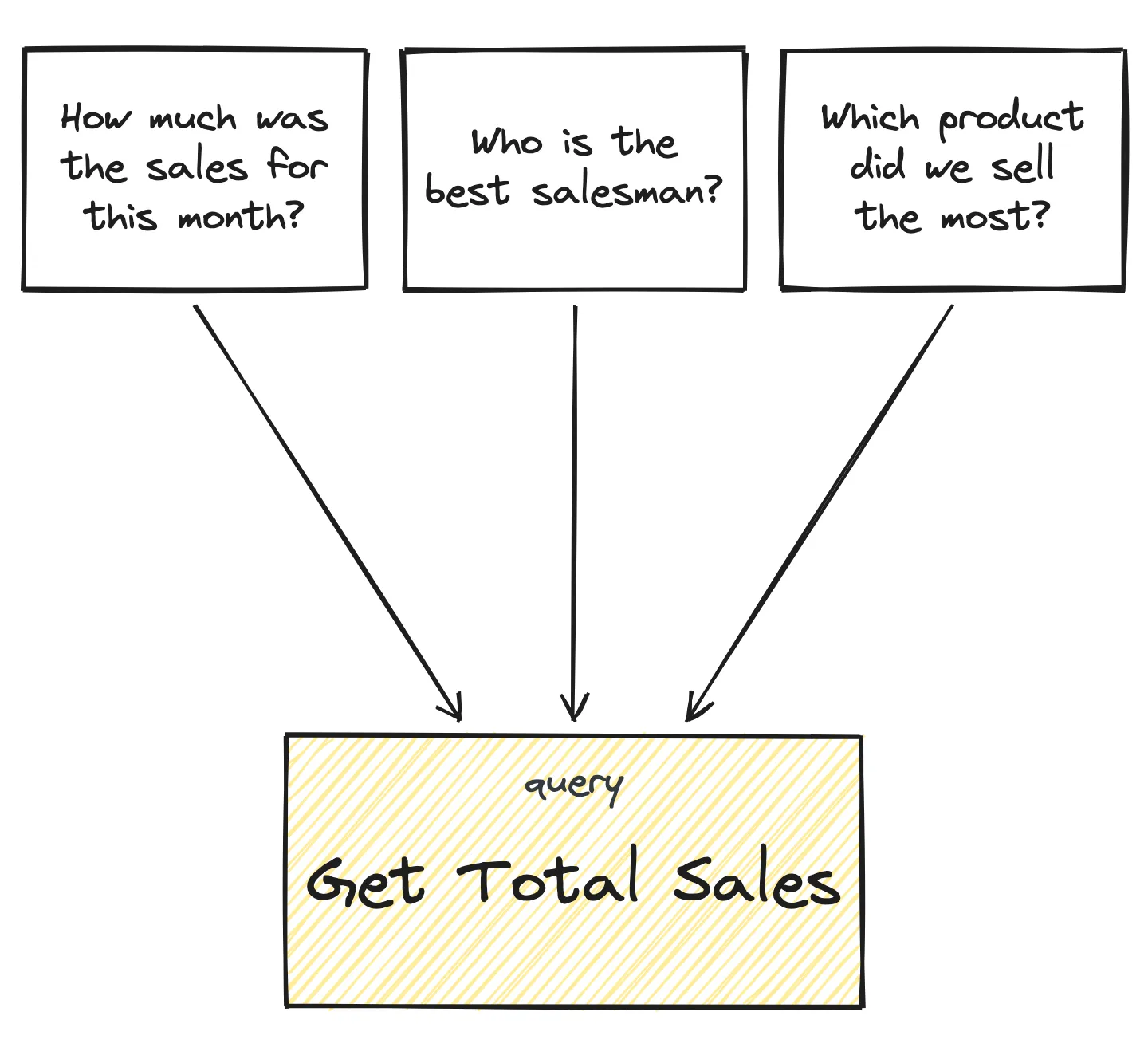
But the answers aren’t consistent. Ask “Who was our best salesperson this month?” One day, AI reads the summary sheet. The next day, it counts the deals itself. Same question, different path, sometimes a different answer.
And every file you upload leaves your company, names included.
2. Use the AI Built Into Your App
Many tools have their own chat or reports. It’s a good shortcut, and it knows the tool well.
But it only sees that one system, and what it can do is often limited.
3. Connect Your Systems Directly
Connect each system to ChatGPT or Claude through a connector or MCP, a standard way for AI to plug into a tool. By design, this is the best option: one chat that sees your CRM, delivery and accounting.
But most tools don’t have a connector yet. And without written rules of how your company works, AI can make things up when it moves between systems. For older software, you can build the connector yourself.
4. Build a Reporting Layer on the Side
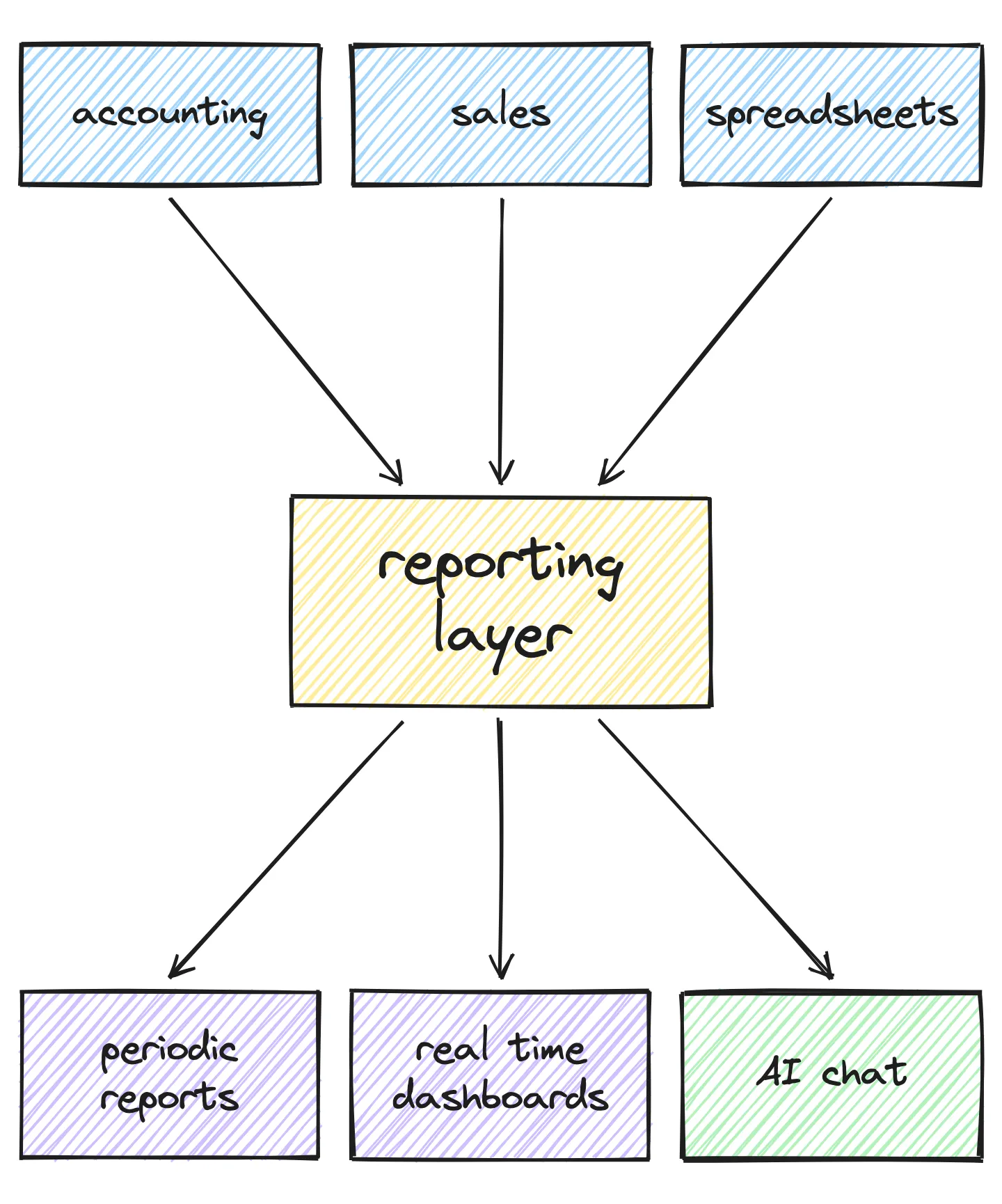
Build a separate system, a reporting layer, that copies the data from all your systems into one place. Your reports and AI then read that copy, not your systems. It’s the best option when you don’t control your systems’ code.
This is what we built for a client.
What the Reporting Layer Does
The reporting layer runs next to your systems and doesn’t change them. It does six things.
1. Collects all the data in one place. Every tool lets you pull data out somehow. We wrote a small script for each source, mostly with AI, and sent everything to one database.
2. Removes personal data on the way in. Anything not needed is dropped, and so are personal details.
3. Uses fixed queries. AI doesn’t guess where the data is. It picks from a set of checked queries, so the same question always runs the same query.
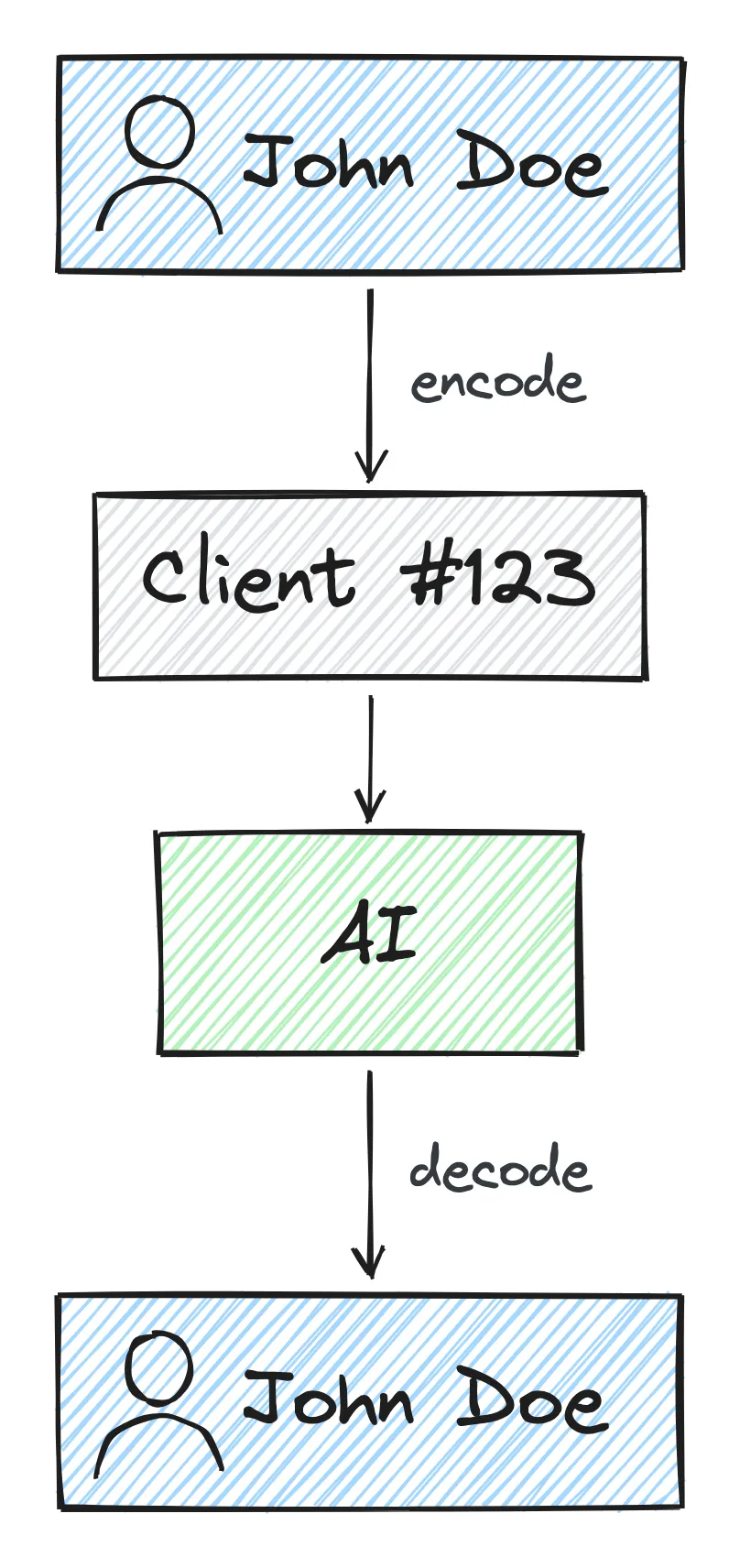
4. Swaps names before AI sees them. Real names become codes before anything goes to AI, and turn back into names on your side. If anything leaks, the names mean nothing.
5. Builds reports on the same queries. Tables, charts and summaries use the same numbers as AI.
6. Connects AI last. AI reads the reporting layer, not your systems, so it has much less room to make things up.
How We Did It for a Financial Company
The client is a financial company with hundreds of reps in the field and fourteen years of data in one in-house system. Every new report needed their developer.
We didn’t change the system. We built a reporting layer next to it:
- a nightly copy of the data without personal details (if any slip through, the import stops);
- 20 checked queries, used by the dashboard, the reports and the AI chat, so the numbers always match;
- an AI assistant on Anthropic’s Claude that shows which queries it used;
- reports written in plain language and run on a schedule, like field visits by team every Monday.
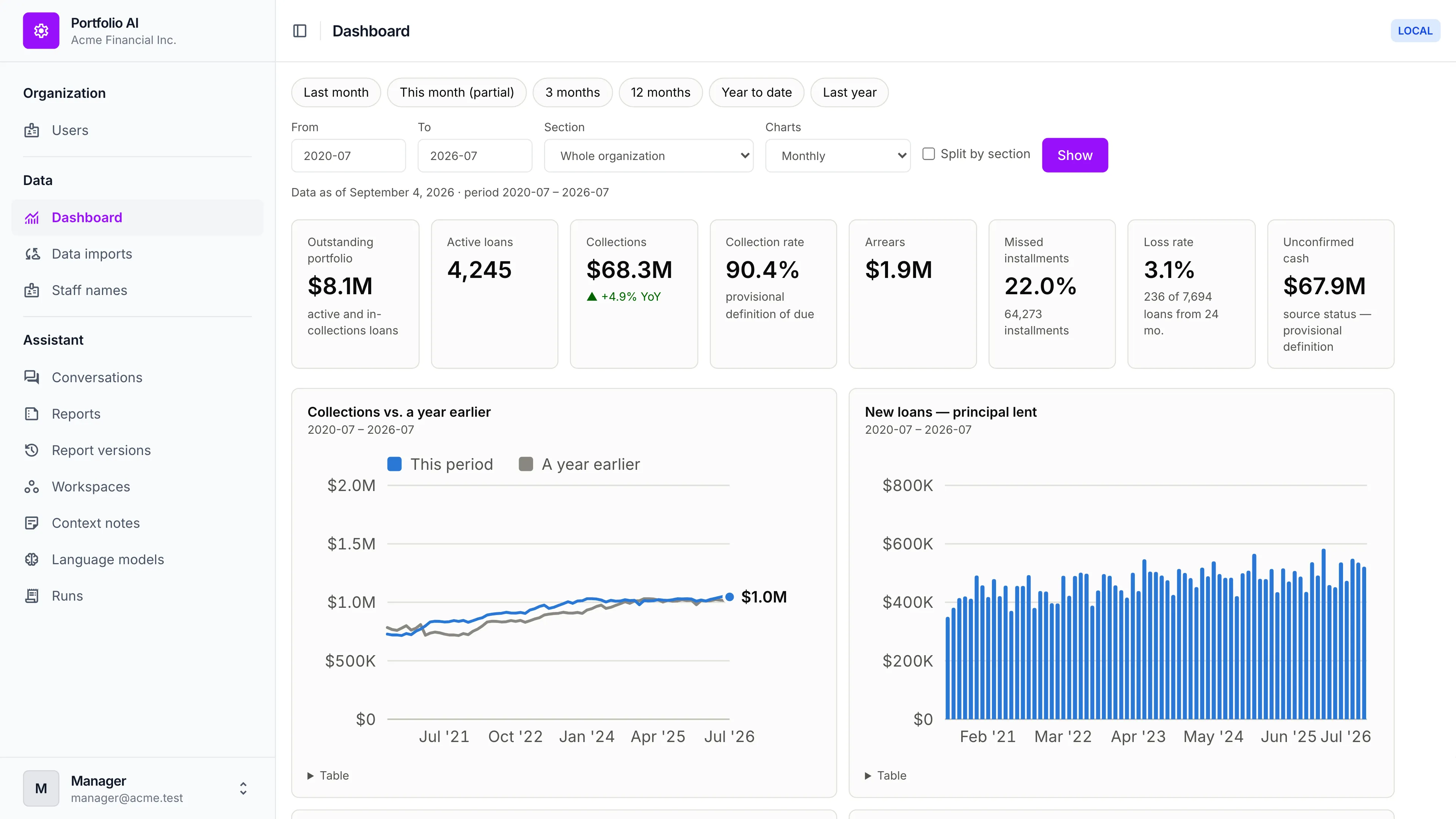
The dashboard, on dummy data.
Before showing any number, we checked each one by hand against the source. That also found problems in the data, like two sources that disagree.
In two years, the old system got no new reports. In the first session with the new one, the owner pulled more than ten. Reports now refresh every night instead of every week, and each one costs under a dollar to run.
What It Doesn’t Fix
A reporting layer shows you what’s in your system. It doesn’t fix the system.
The ideal is every system connected to AI directly, but that needs a lot from your software vendors. Adding AI to your own system means rethinking security, data and business rules, on a stable codebase. That’s software modernization, and it’s what we do.
Old systems will take time to catch up. So pick any of the four ways and start, carefully, so private data stays private.
Want This for Your Company?
Book a free 30-minute call. A senior engineer will look at what you want to know and where your data is, and tell you which way fits. More on the AI access page.
Want AI in your company’s processes too? Start with one call.
Book a 30-Minute Call